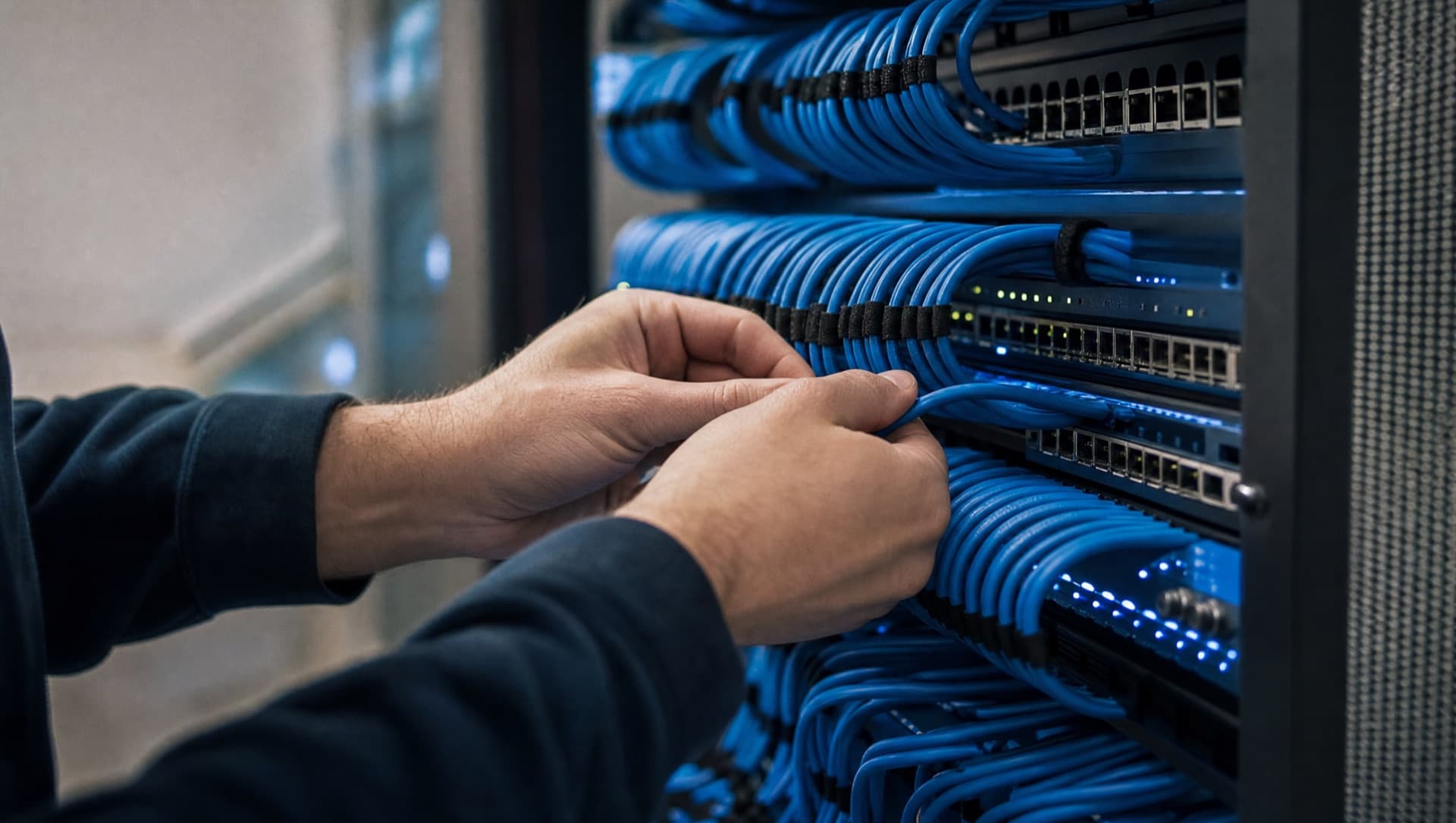
Multiple sites are connected either through a site-to-site VPN that uses each site's existing internet connection, or through a leased line with guaranteed bandwidth. For most small and mid-sized businesses, a cleanly configured VPN over stable business connections is sufficient and cheaper. A leased line pays off when large volumes of data flow continuously or when a connection outage is not economically acceptable. What matters is what actually runs between the sites, not how many there are.
VPN or leased line: which connection fits the business?
A site-to-site VPN encrypts the connection between two sites over the ordinary internet – each site just needs a stable internet line and a firewall that reliably builds the VPN tunnel. Bandwidth is only as good as the underlying internet connection, and if the internet provider at one site goes down, so does the tunnel. A leased line, by contrast, is a dedicated connection with guaranteed bandwidth, independent of what other customers of the same provider are doing at the time. It costs more but delivers predictable latency – important for applications that depend on fast response times, such as terminal sessions on a central ERP server or telephony across several sites. For plain data exchange, email and access to central file storage, a VPN is generally enough.
- Site-to-site VPN for most cases: cheap, quick to set up, sufficient for email, file access and standard applications
- Leased line where consistently high, guaranteed bandwidth is needed, for example large data volumes from production
- Test latency-critical applications like telephony or terminal sessions first, before deciding on the type of connection
- The internet connection at each site is the foundation of the VPN – a weak line at one site slows down the whole connection
Central or local services: where should servers and software actually run?
The second fundamental decision is where the actual services sit. Central means: a server or cloud instance at one site or with a hosting provider, which every other site reaches over the connection. Local means: each site has its own systems that keep running even without a connection to the others. Both have their place, and in practice it's usually a mix. Systems that are essential for the ongoing operation at a given site – production control, a retail till system, or a time-tracking terminal – should be built to survive a short outage of the site connection, if necessary with local caching that syncs later. Systems where a brief outage is tolerable – central ERP, email, file storage – can safely sit centrally.
- Business-critical local processes (production, tills, access control) should survive a short WAN outage at that site
- Central systems such as ERP, email or file servers can depend on the site connection if a short outage is tolerable
- Never keep backups solely at the same site as the data itself – a second site or an external storage location is mandatory
- When choosing new software, clarify upfront whether it requires permanent central access or allows offline operation per site
What happens at a site if the connection to the others goes down?
This question should be answered for every site individually before it comes up in practice. A site with no connection to head office needs locally working internet, its own local DNS resolution and, depending on the business, locally cached data for the most important processes. Where an outage would be especially painful, a redundant connection is worth it: a second internet line from a different provider, or a mobile backup connection that takes over automatically if the main line fails. More important than the technology is practising it: a failover that has never been tested tends to work less often than expected when it actually matters.
A simple test tells you a lot: disconnect the main line at a site for an hour outside business hours and watch what actually still works. The gaps that show up are usually exactly the ones that cause the most trouble later during real operation.
The solution page explains how we plan, build and then run networks across multiple sites.
Network & switchingA new site is added: what needs sorting out technically during an acquisition
During a takeover or acquisition, your own, organically grown infrastructure meets someone else's – with its own address space, its own devices and often its own IT history. The biggest mistake is simply hanging the new site off the existing network via VPN without first checking what's actually running there. IP address ranges can overlap, causing conflicts as soon as the two networks are connected. Devices and software at the new site may carry older, insecure configurations you don't want pulled into your own network unchecked. That's why the process should always start with an inventory, followed by clean network separation with clearly defined, controlled crossing points – and only once those crossing points are in place, a step-by-step integration rather than one big merge in a single move.
- Before connecting: check both networks' IP address ranges for overlaps
- Inventory devices and systems at the new site before they're connected to the existing network
- First connection via a controlled, restricted link rather than open full access
- Plan the integration step by step: email and central systems first, critical or unclear legacy systems last
How should addressing be structured across multiple sites?
One point that often gets too little attention when the first site connection is set up is a consistent addressing scheme. As a company grows organically, each site eventually ends up with its own network, often built to whatever scheme happened to be at hand at the time – with the result that address ranges overlap once the sites need to be connected, or that nobody can say offhand which address range belongs to which site and which function. A clearly structured scheme, where site and function can be read directly from the address, makes later troubleshooting, firewall rules and connecting further sites noticeably easier. Skip this step at two sites and you pay for it in rework by the time you reach the third or fourth – rework that a bit of upfront planning would have avoided entirely.
How can several sites work with the same data instead of their own lists?
Once the network connection is stable, another problem often remains: every site works with its own lists. Internal orders between branches go by email, stock levels are only visible on site, and for the monthly report someone collects figures from several spreadsheets. Management then sees not the current state but the state of the last summary.
- Map cross-site workflows such as internal orders or stock transfers in one shared system
- Connect the programs at each site through interfaces instead of forwarding data by email
- Generate reports from the shared database instead of merging spreadsheets by hand
- Set up AI-assisted search across documents and data from all sites only once that data is central and well organised
With several sites, there is also the question of where an IT investment pays off first. A site with a weak line or an untested failover usually comes before new software, because every later improvement depends on that connection.
How NDVDL takes over networking across multiple sites
NDVDL looks at each site individually before planning a connection: the line, the firewall, local systems, address ranges and the workflows that depend on the network.
- 01Inventory at every site, including address ranges, lines, local systems and the state of documentation
- 02Written proposal covering connection type, addressing scheme, failover and the order of implementation
- 03Implementation site by site, with a tested failover before the next site is connected
- 04Ongoing operation and maintenance of firewalls, VPN tunnels and network at all sites, with one fixed contact person and shared documentation
That keeps the network understandable at the third or fourth site too, and an acquisition starts with a checked plan rather than an open tunnel into your own network.
Connecting several sites or integrating an acquired site in Vienna, Lower Austria or Slovakia? We'll look at your current connectivity and propose in writing how the connection holds up day to day and during an outage.
Request an inventoryFrequently asked questions
Questions about your IT infrastructure?
Talk directly to our team — no obligation, no detours.